"use client";

import MercuryMinimap from "@/components/ui/toc-minimap-mercury";

const SECTIONS = [
  { id: "intro", label: "00 INTRO" },
  { id: "install", label: "01 INSTALL" },
  { id: "usage", label: "02 USAGE" },
  { id: "theming", label: "03 THEMING" },
  { id: "api", label: "04 API" },
];

const PROPS: [string, string, string][] = [
  ["sections", "{ id, label }[]", "auto-discovered"],
  ["selector", "string", '"section[id]"'],
  ["offset", "number", "0.35"],
  ["stiffness", "number", "120"],
  ["damping", "number", "20"],
];

export default function MercuryMinimapDemo() {
  return (
    <div className="min-h-screen bg-background text-foreground">
      <MercuryMinimap sections={SECTIONS} />

      <main className="mx-auto max-w-2xl px-6 pb-48 pt-20">
        <p className="font-mono text-xs text-ns-muted">
          ns-ui / toc-minimap-mercury
        </p>

        <section
          id="intro"
          className="flex min-h-[85vh] flex-col justify-start pt-10"
        >
          <h1 className="text-4xl font-semibold tracking-tight">
            Mercury Minimap
          </h1>
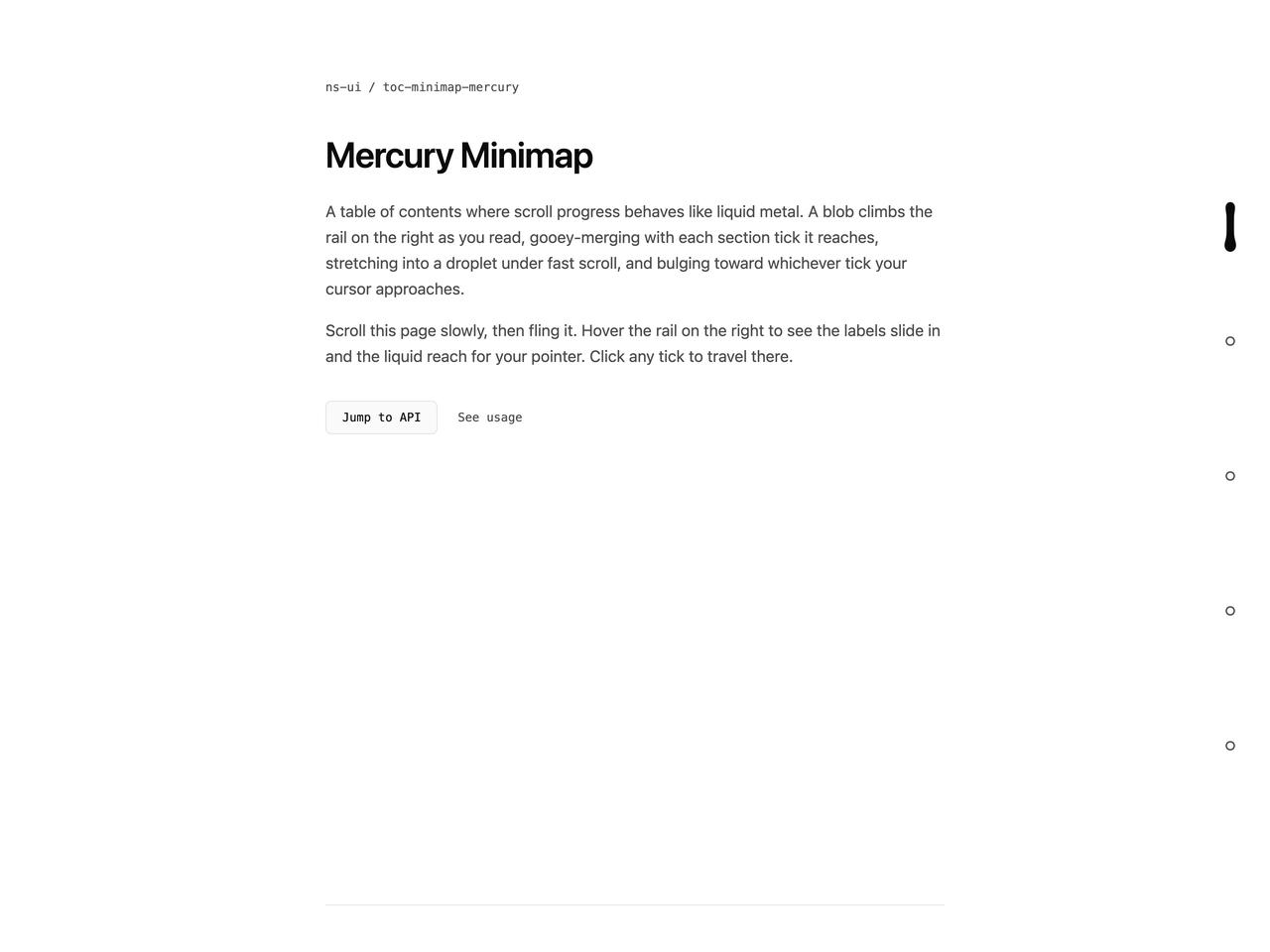
          <p className="mt-6 max-w-prose leading-relaxed text-ns-muted">
            A table of contents where scroll progress behaves like liquid metal.
            A blob climbs the rail on the right as you read, gooey-merging with
            each section tick it reaches, stretching into a droplet under fast
            scroll, and bulging toward whichever tick your cursor approaches.
          </p>
          <p className="mt-4 max-w-prose leading-relaxed text-ns-muted">
            Scroll this page slowly, then fling it. Hover the rail on the right
            to see the labels slide in and the liquid reach for your pointer.
            Click any tick to travel there.
          </p>
          <div className="mt-8 flex items-center gap-3">
            <button
              type="button"
              onClick={() =>
                document
                  .getElementById("api")
                  ?.scrollIntoView({ behavior: "smooth" })
              }
              className="rounded-sm border border-border bg-surface px-4 py-2 font-mono text-xs text-foreground transition-colors hover:border-ns-muted focus-visible:outline-2 focus-visible:outline-offset-2 focus-visible:outline-ns-accent"
            >
              Jump to API
            </button>
            <a
              href="#usage"
              className="px-2 py-2 font-mono text-xs text-ns-muted transition-colors hover:text-foreground"
            >
              See usage
            </a>
          </div>
        </section>

        <section
          id="install"
          className="flex min-h-[80vh] flex-col justify-start border-t border-border pt-12"
        >
          <h2 className="text-2xl font-semibold tracking-tight">Install</h2>
          <p className="mt-4 max-w-prose leading-relaxed text-ns-muted">
            Zero dependencies beyond React. The whole effect is one SVG goo
            filter and a spring integrated in a requestAnimationFrame loop that
            sleeps when the liquid settles.
          </p>
          <pre className="mt-6 overflow-x-auto rounded-md border border-border bg-surface p-4 font-mono text-xs leading-relaxed text-ns-muted">
            {"npx shadcn add @ns-ui/toc-minimap-mercury"}
          </pre>
          <p className="mt-4 max-w-prose leading-relaxed text-ns-muted">
            Everything is direct-DOM: the scroll listener is passive and only
            writes a ref, attribute writes happen via setAttribute, and no React
            state is touched on the hot path.
          </p>
        </section>

        <section
          id="usage"
          className="flex min-h-[80vh] flex-col justify-start border-t border-border pt-12"
        >
          <h2 className="text-2xl font-semibold tracking-tight">Usage</h2>
          <p className="mt-4 max-w-prose leading-relaxed text-ns-muted">
            Pass sections explicitly, or mount it bare and it will discover
            every{" "}
            <span className="font-mono text-xs text-foreground">
              section[id]
            </span>{" "}
            on the page, reading labels from{" "}
            <span className="font-mono text-xs text-foreground">
              data-minimap-label
            </span>
            .
          </p>
          <pre className="mt-6 overflow-x-auto rounded-md border border-border bg-surface p-4 font-mono text-xs leading-relaxed text-ns-muted">
            {`<MercuryMinimap
  sections={[
    { id: "intro", label: "00 INTRO" },
    { id: "api", label: "04 API" },
  ]}
/>`}
          </pre>
          <p className="mt-4 max-w-prose leading-relaxed text-ns-muted">
            The blob target is a piecewise-linear map from your scroll position
            through the section offsets, so the liquid always agrees with where
            you actually are in the document.
          </p>
        </section>

        <section
          id="theming"
          className="flex min-h-[80vh] flex-col justify-start border-t border-border pt-12"
        >
          <h2 className="text-2xl font-semibold tracking-tight">Theming</h2>
          <p className="mt-4 max-w-prose leading-relaxed text-ns-muted">
            The liquid fills with{" "}
            <span className="font-mono text-xs text-foreground">
              --color-foreground
            </span>{" "}
            and unreached ticks stroke with{" "}
            <span className="font-mono text-xs text-foreground">
              --color-ns-muted
            </span>
            , falling back to the house values. Monochrome by design: the accent
            color is reserved for focus rings only.
          </p>
          <div className="mt-6 grid grid-cols-2 gap-3">
            {[
              ["foreground", "#ededed"],
              ["muted", "#8f8f8f"],
            ].map(([name, hex]) => (
              <div
                key={name}
                className="flex items-center gap-3 rounded-md border border-border bg-surface p-4"
              >
                <span
                  aria-hidden
                  className="h-4 w-4 rounded-full border border-border"
                  style={{ background: hex }}
                />
                <span className="font-mono text-xs text-ns-muted">
                  {name} {hex}
                </span>
              </div>
            ))}
          </div>
          <p className="mt-4 max-w-prose leading-relaxed text-ns-muted">
            Under prefers-reduced-motion the goo filter is swapped for a plain
            2px filled line with dots, active states switch instantly, and no
            animation frame ever runs.
          </p>
        </section>

        <section
          id="api"
          className="flex min-h-[70vh] flex-col justify-start border-t border-border pt-12"
        >
          <h2 className="text-2xl font-semibold tracking-tight">API</h2>
          <div className="mt-6 overflow-hidden rounded-md border border-border">
            {PROPS.map(([name, type, def], i) => (
              <div
                key={name}
                className={`grid grid-cols-3 gap-4 px-4 py-3 font-mono text-xs ${
                  i > 0 ? "border-t border-border" : ""
                }`}
              >
                <span className="text-foreground">{name}</span>
                <span className="text-ns-muted">{type}</span>
                <span className="text-ns-muted">{def}</span>
              </div>
            ))}
          </div>
          <p className="mt-4 max-w-prose leading-relaxed text-ns-muted">
            Stiffness and damping tune the spring: 120 / 20 sits just under
            critical damping, so a hard scroll stop lands with one small wobble,
            exactly like a droplet coming to rest.
          </p>
        </section>
      </main>
    </div>
  );
}